Eudora v4 (Mac) - Account Setup
|
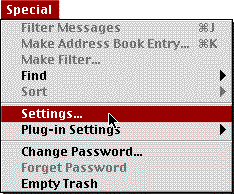
If you're having difficulty setting up your email account with Eudora version 4, follow these instructions. From the Special menu select Settings...
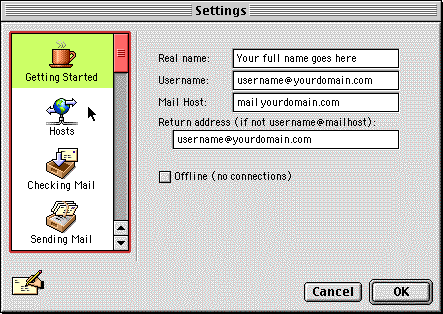
This will bring up the following window:
Fill in the following information:
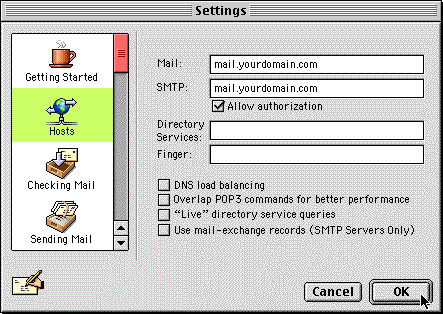
Now click the Hosts icon on the left side. You will see the following:
Fill in the following information:
Click OK to save these settings. You can now send and receive email with your MacServe.net account. |
|||||||||||||
 |
|
<<BACK | |||||||||||